
Dictation without internet, and a dictionary that tidies itself
An optional offline speech model on every device, dictionary suggestions and auto-cleanup, apps in seven languages, the text you dictate stays on the clipboard and a timer while you speak.
This week SayVelio learned to work without internet. Here is everything that changed since the last issue.
Dictation without internet
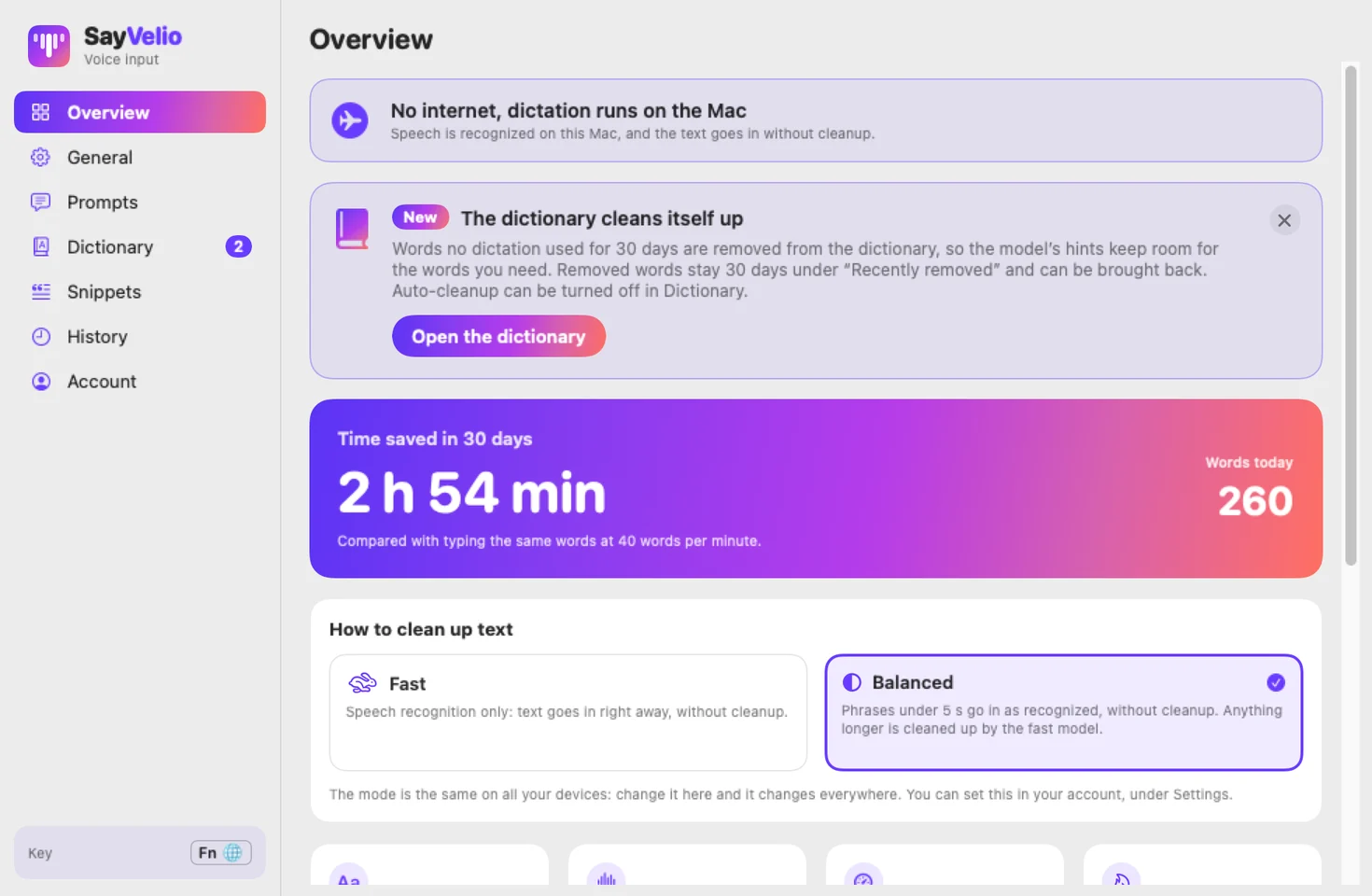
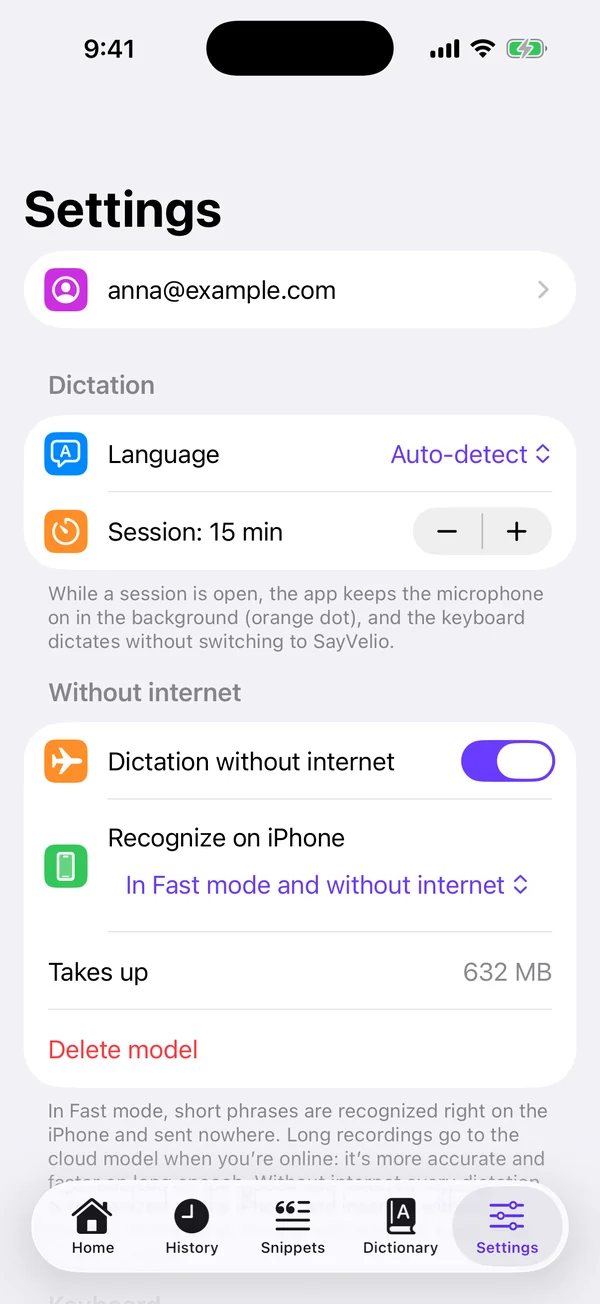
You can now download an optional speech model to your device, like offline maps. It is off until you turn it on, shows its size before downloading and has a Delete button. With the model on, dictation keeps working on a plane or with no signal: when the internet drops, the app shows a banner that leads to the setting.
You choose when it is used: only without internet, or in Fast mode too. In Fast mode short phrases are recognized right on the device, while long recordings still go to cloud recognition when you are online, so they stay accurate. Without internet, text is not cleaned up, but your dictionary still applies. On Android you can pick a light or an accurate model; older phones start with the light one.
A dictionary that tidies itself
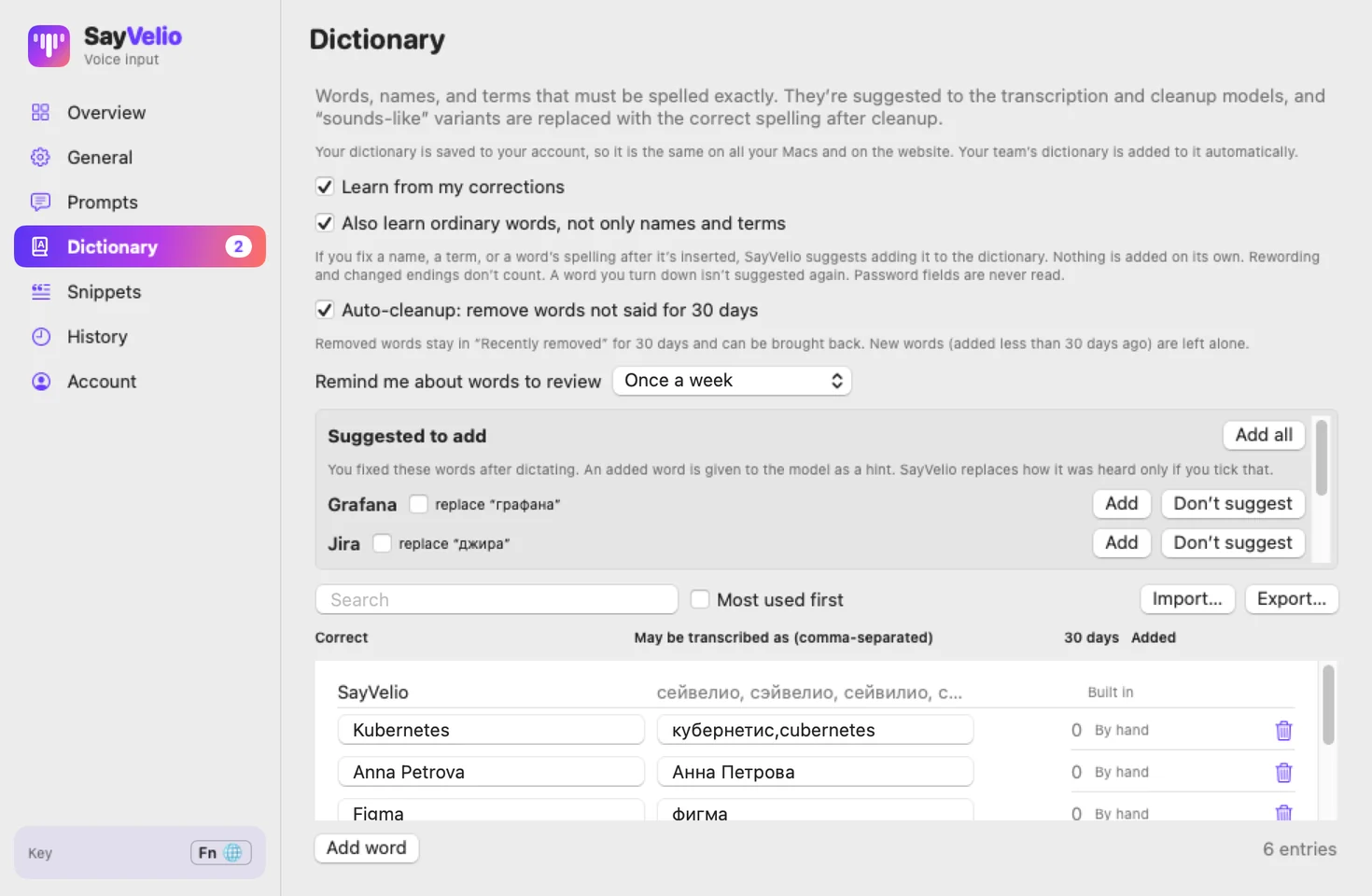
- When you correct a word SayVelio heard wrong, it suggests adding it to your dictionary instead of adding it silently. You decide what goes in.
- SayVelio counts how often you say each word, across all your devices, and gives the words you use most to recognition first.
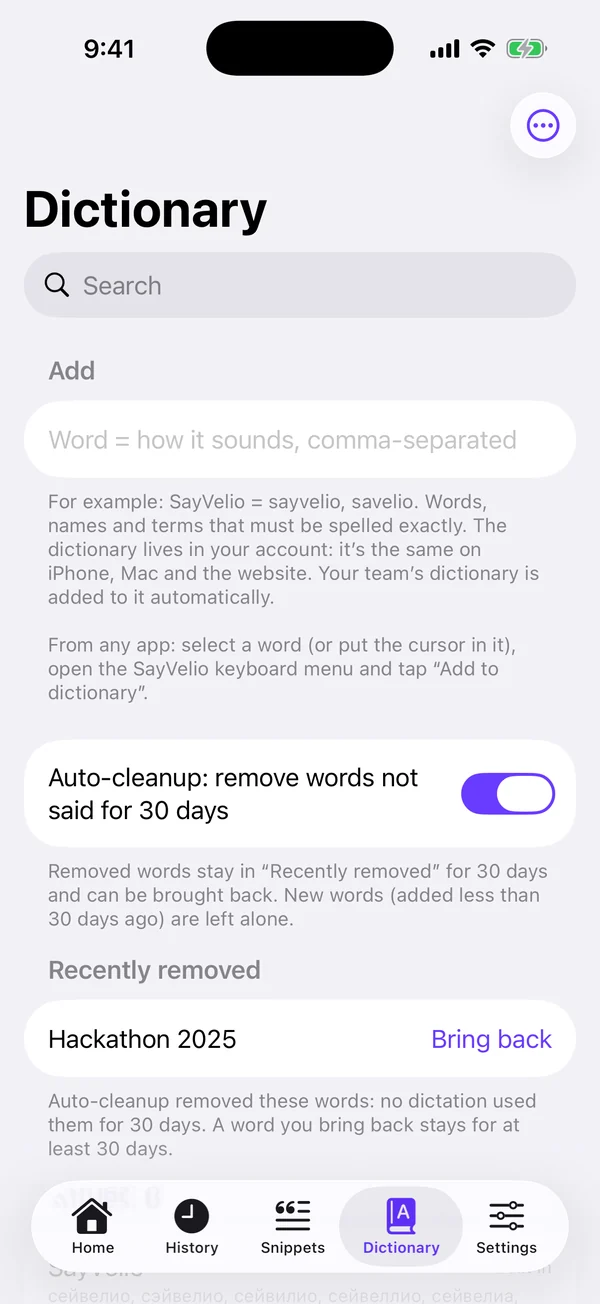
- Words you haven't said for 30 days leave the dictionary by themselves and wait 30 days under Recently removed, where one tap brings them back. New words are never removed in their first 30 days. Turn this off, and unused words are only suggested for removal.
- Spreadsheet imports skip title rows.
Apps in your language
The iPhone app now speaks seven languages, and the Android app has every language of the Mac app. The apps pick your system language.
Dictated text stays on the clipboard
After SayVelio pastes your text, it stays on the clipboard, so you can paste it again somewhere else. If you prefer the old behaviour, turn it off in General.
See how long you've been talking
While you dictate, the recording indicator and the keyboard's dictation panel count the seconds: 0:07, 1:23.
Clearer quality modes
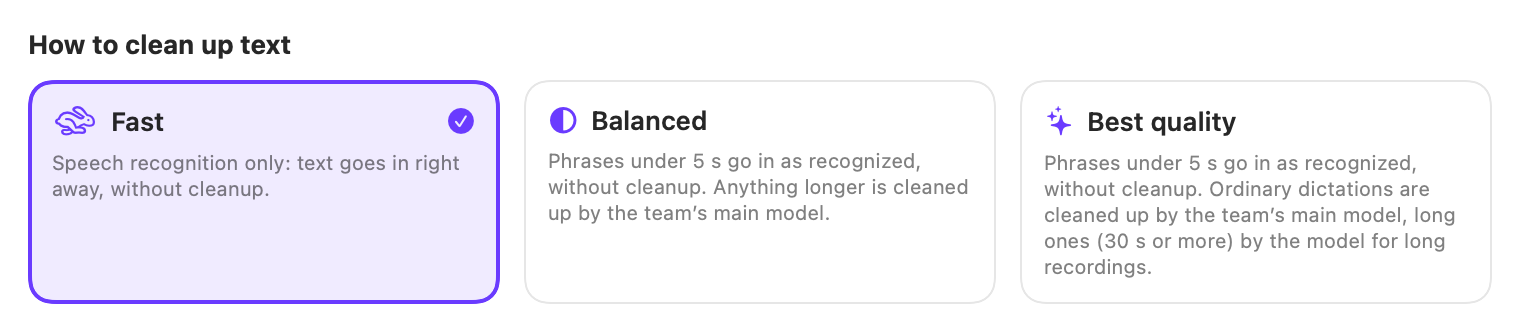
Fast only turns speech into text, Balanced also cleans it up, and Best quality adds a stronger model for long dictations. Each mode's description now shows the real number of seconds when it switches. Personal accounts on SayVelio's models get Fast and Balanced. With your own key or on a team you can also turn on Best quality with more powerful models.
What's new, inside the apps
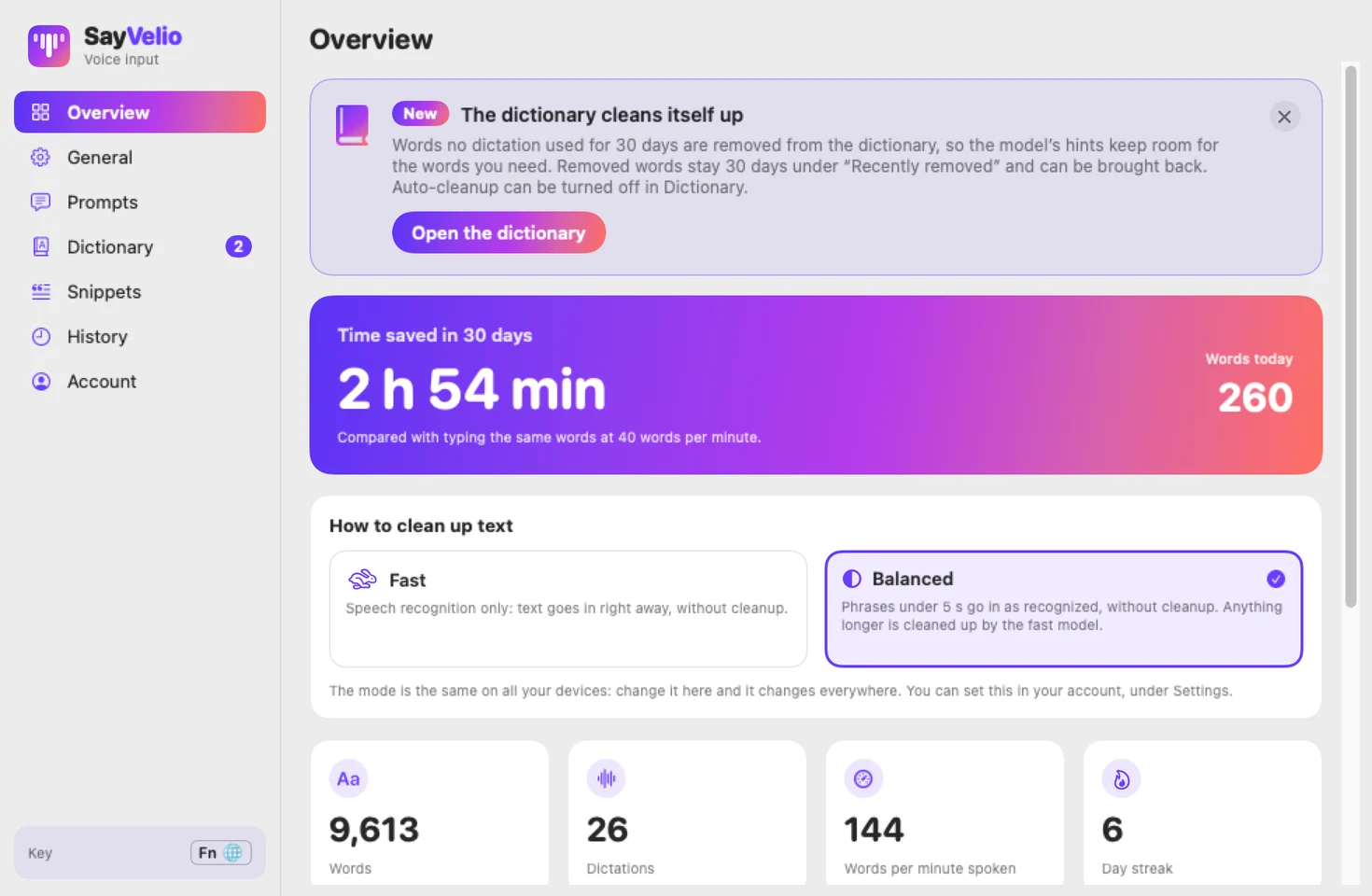
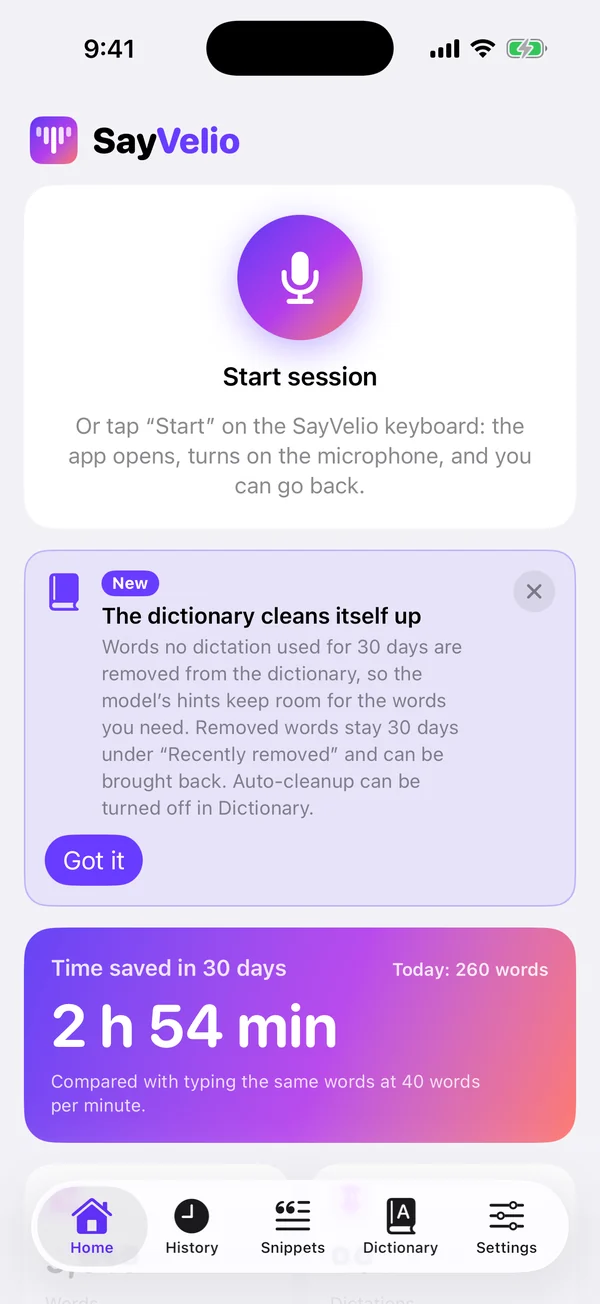
New features are now announced with a card at the top of every app. Close it with × once you've read it.
For teams
- Teams on their own key can pick from more of the newest cleanup models.
- Team owners and admins always see the Comparison tab on Mac and compare models on the team's key.
Smaller improvements
- History: Copy sits above the text in every app.
- iPhone and Android: after Check on the Home screen the app says the dictation worked, shows the text and opens it in History.
- iPhone keyboard: fast typing no longer turns into swipe words with extra spaces.
- iPhone: fixed a crash when dictation started.
- Windows: a new version shows in the sidebar while it downloads, with Restart now; buttons are easier to read.
- Android: transcripts no longer contain stray markup, and the keyboard microphone is in SayVelio's colours.
- Mac: the window reopens on the section you left it on.
- Your account shows the right icon and a readable name for Android, Windows and iPad devices, and Downloads has pictured install steps for every system.
- Fixed a problem that stopped dictation for some people with very large dictionaries.
- We updated our Terms and Privacy Policy.