
Text ready the moment you stop talking
Speech is recognized while you speak, the dictionary learns from your corrections on every device, apps in eleven languages, your clipboard is left as it was, a live demo on the website and invite links.
This week SayVelio got faster and learned from your corrections everywhere. Here is everything that changed since the last issue.
Text ready the moment you stop talking
SayVelio now recognizes your speech while you are still speaking, instead of waiting for the whole recording. When you let go of the key, most of the work is already done, so the text lands in the field sooner, especially after long dictations. If the connection hiccups, SayVelio falls back to the finished recording, so nothing is lost.
The dictionary learns from your corrections
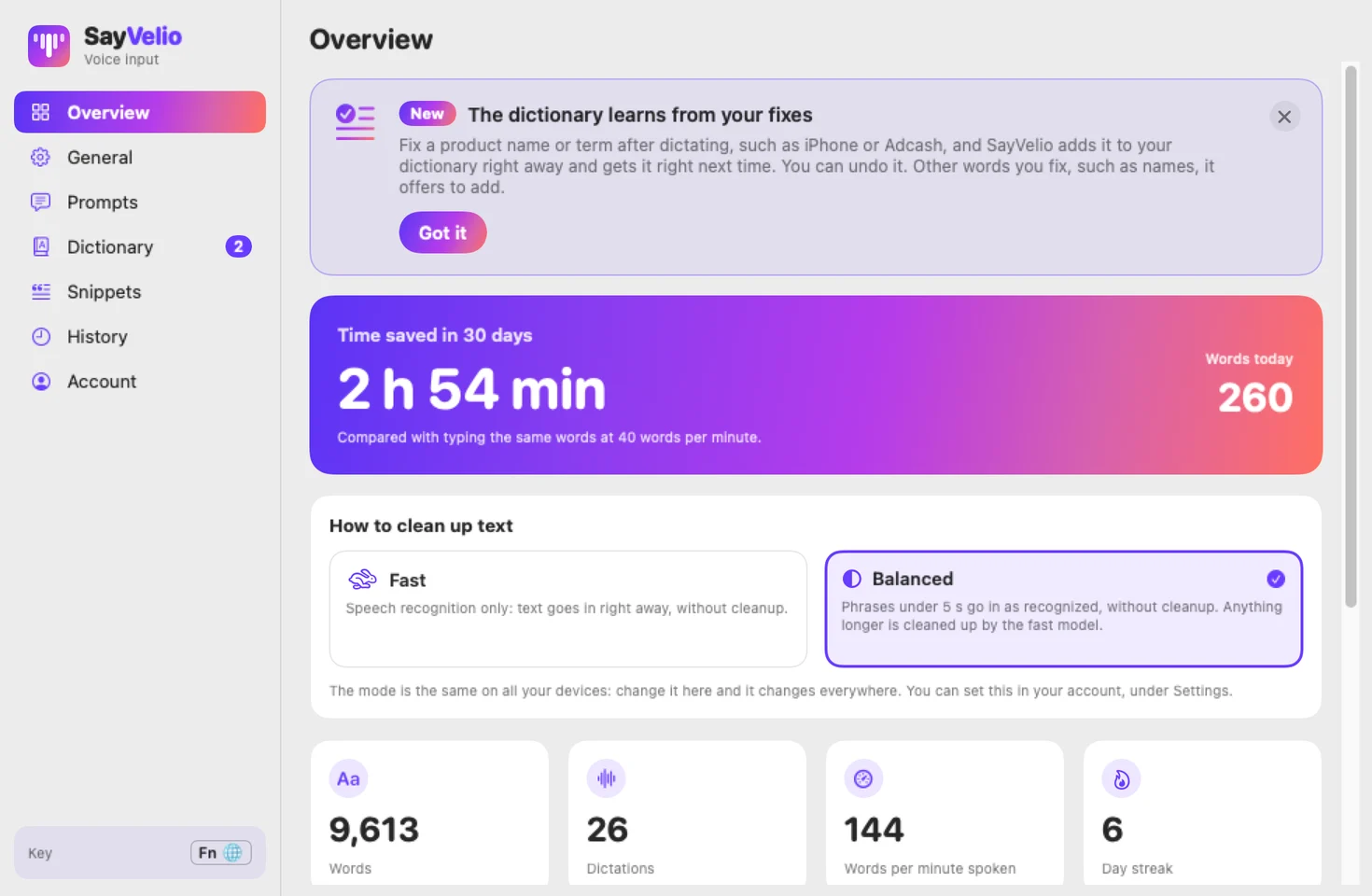
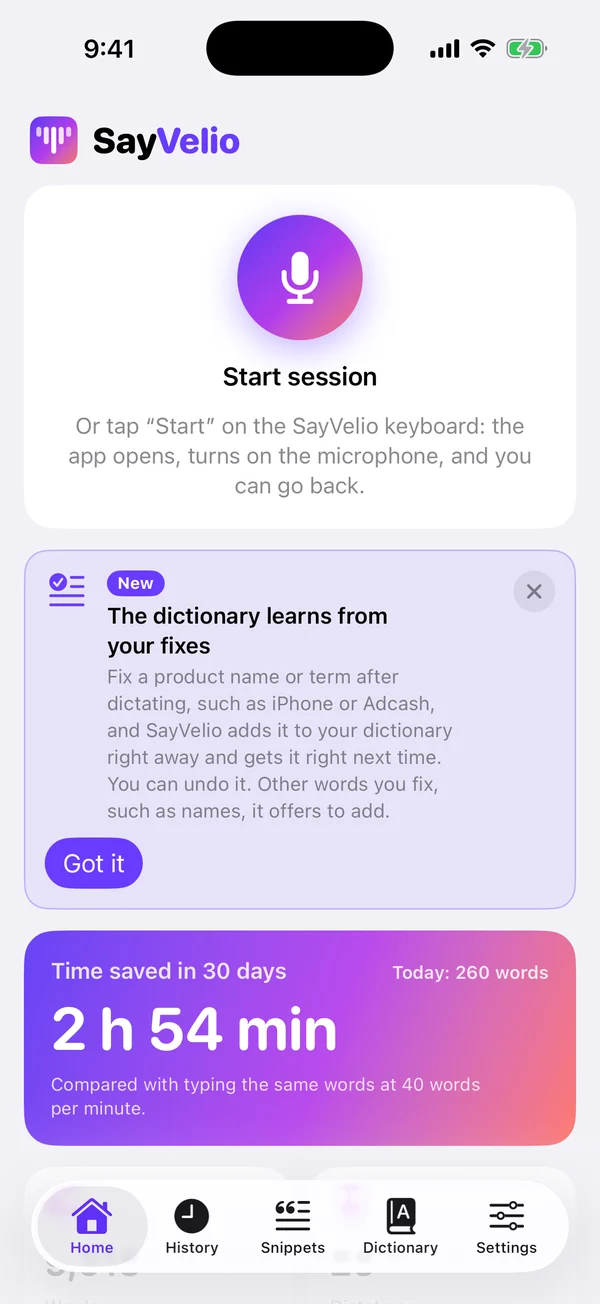
Fix a word right after dictating, and SayVelio remembers it, now on Mac, iPhone, Windows and Android.
- Product names and terms you correct, like iPhone or Adcash, join your dictionary at once, and next time they come out right. A short note tells you what was added, with Undo.
- Other words you fix, such as people's names, are offered with an Add button, or wait for you under Suggested to add.
- On Mac this also works in Chrome and in apps like Slack and Notion.
Your clipboard stays yours
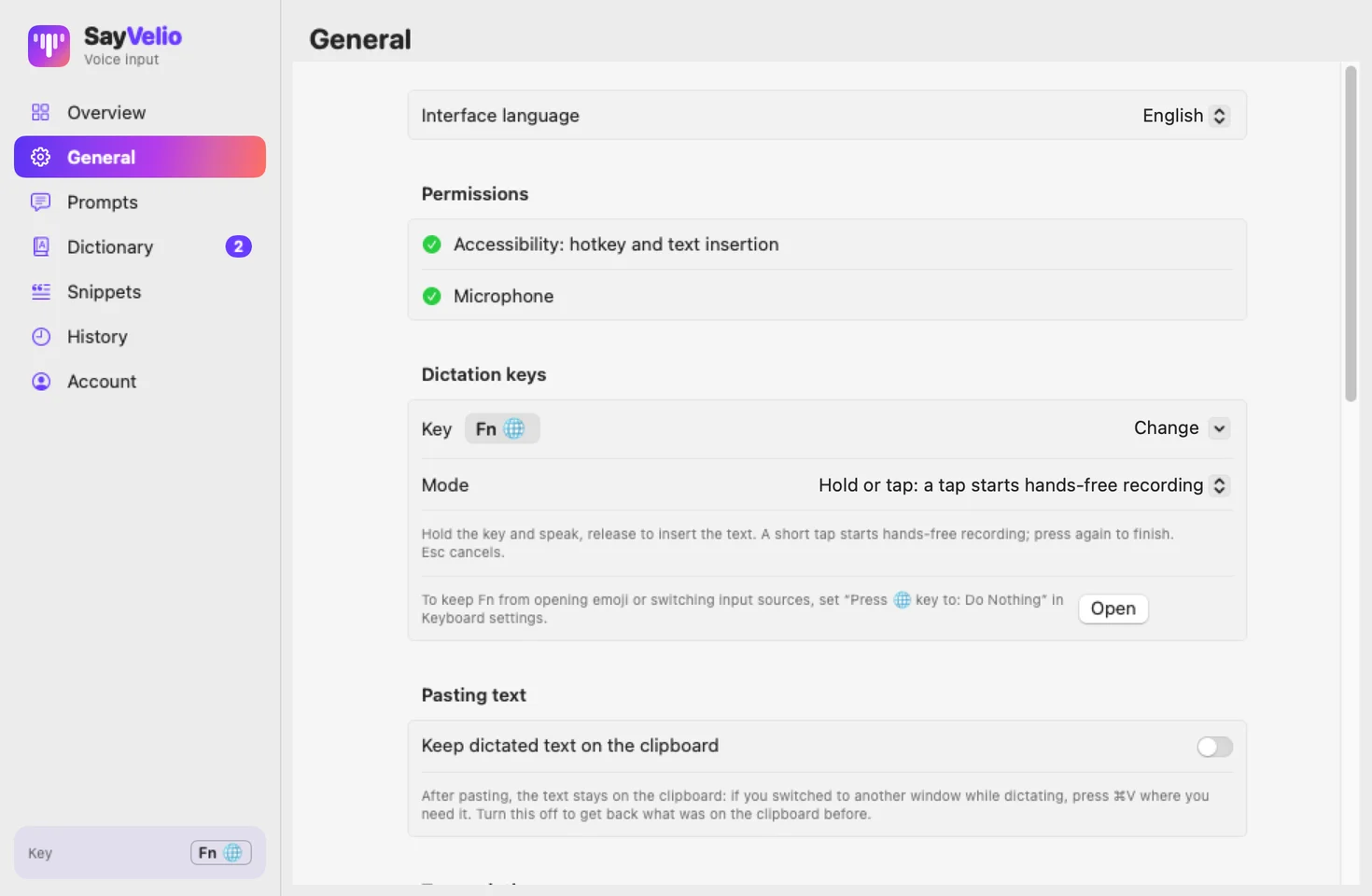
- Mac and Windows: after pasting your text, SayVelio puts back whatever you had copied before. If you'd rather keep the dictated text on the clipboard, turn on Keep dictated text on the clipboard in the new Pasting text block in General.
- iPhone: text you dictate with the Action Button, Control Center or Siri is copied to the clipboard so you can paste it anywhere. A switch in Settings → Pasting text turns it off. The SayVelio keyboard types straight into the field and never touches the clipboard.
Eleven languages everywhere
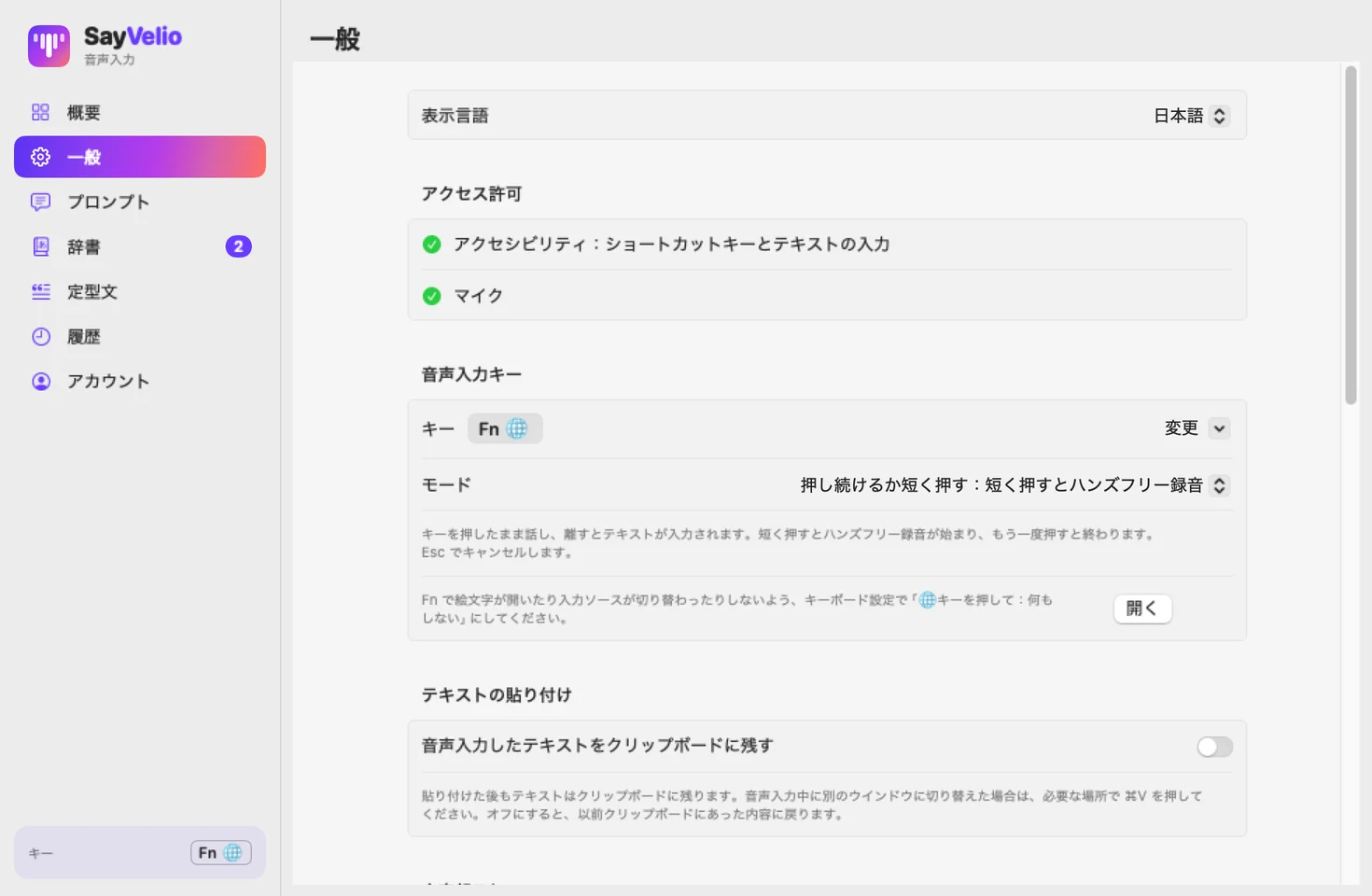
The apps, the website, your account and our emails now also speak Portuguese, Turkish, Japanese and Korean, eleven languages in all. They follow your system or browser language, and the website's language menu lists every one of them.
Try SayVelio in your browser
The new live demo lets you dictate right on the website, no install needed: click the microphone, speak and watch clean text appear. Our new Guides explain how voice typing works and how to get the most out of it, in every site language.
Invite a friend
Like SayVelio? Your account and the apps now have a personal invite link to share with a colleague or a friend. You see how many people joined through it.
Smaller improvements
- Pressing the key without saying anything is no longer an error, and when speech can't be recognized you see a clear message.
- Mac: pasting into Screen Sharing and other remote desktop apps works reliably, and each new dictation is pasted, not the first one again.
- iPhone: Check on the Home screen always shows the result card, even when something goes wrong.
- Your account's Overview shows install steps for your system until your first device connects.
- New accounts can choose to get short tips by email on getting started.
- We updated our Privacy Policy.