
Preparing your voice for recognition: noise suppression, echo control and voice detection
What happens to audio before speech recognition: gain control, noise suppression, echo cancellation, voice activity detection and spectrograms, and why "cleaner" audio isn't always better.
In short
Before recognition, audio may be leveled, cleaned of echo and noise, and cut into the parts that contain speech. Each of these steps has one narrow job, none of them understands words, and none is required. Strong noise removal can even hurt, because it can erase the quiet consonants that tell words apart.
You said
hi tom the invoice is attached let me know if the numbers look right
SayVelio typed
Hi Tom,
The invoice is attached. Let me know if the numbers look right.
Processing the signal is not recognizing speech
Signal processing works on sound, not on language. It can make speech louder, quieter or clearer, or decide where speech starts and stops, but it never decides which words you said. That job belongs to the recognition model, described in how speech recognition works.
Which steps an app uses depends on the situation. A phone call needs echo cancellation because the other person's voice comes out of your speaker. A dictation app with nothing playing may not need it at all.
Four common tools, four different jobs
| Tool | What it does | What it can't do |
|---|---|---|
| Automatic gain control | Raises or lowers the recording level | Fix a voice that was never captured clearly |
| Noise suppression | Reduces steady background sounds like fans or traffic | Separate two people talking at once |
| Echo cancellation | Removes your own speaker's sound returning to the microphone | Help when nothing is playing |
| Voice activity detection | Estimates which moments contain speech | Tell what was said |
Echo cancellation is the most specific of them. It knows exactly what your device is playing, because it gets a reference copy of that sound, and subtracts the part the microphone picks up again. That's different from noise suppression, which has to guess what is noise.
Voice activity detection: finding the speech
A voice activity detector (VAD) looks at short slices of audio, often 10 to 30 milliseconds, and estimates how likely each one contains speech. The simplest version just checks loudness, but a loud door slam crosses a loudness threshold and a quiet speaker can fall below it. Better detectors estimate a speech probability per slice, merge nearby speech regions, and drop ones that are too short to be words.
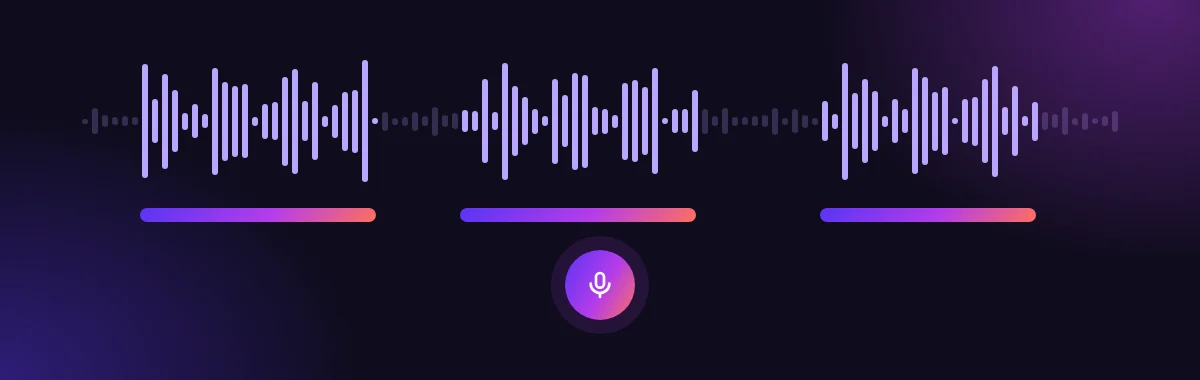
Detection is useful for skipping silence and deciding when you've finished a phrase. With hold-to-talk, as in SayVelio, you decide where the recording starts and ends yourself: it runs exactly while you hold the dictation key.
Why cleaner audio isn't always better
It's tempting to think more noise removal always helps. It doesn't. Consonants like "s", "f", "t" and "k" are quiet, noise-like sounds, and aggressive noise suppression can thin them out along with the background. The audio sounds cleaner to a human, but the recognizer has lost the cues that separate "fifteen" from "fifty".
Modern recognition models are trained on a lot of real-world, noisy speech, so they often cope better with the original sound than with heavily processed audio. Good processing is gentle and is tested on real dictations, not just judged by ear.
Spectrograms: how machines look at sound
Many recognizers don't use the raw waveform directly. They slide a short window (typically 20 to 30 ms) along the audio and measure which frequencies are present in each window. The result is a spectrogram: a picture with time going across, pitch going up, and brightness showing energy.
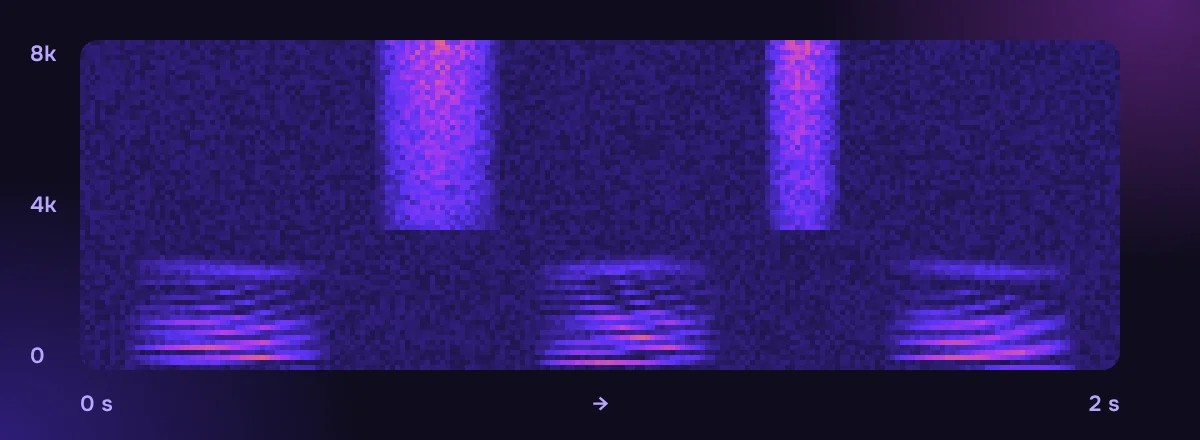
A spectrogram is not a transcript. It shows patterns of sound that a model learns to connect with speech sounds. The window size is a trade-off: short windows show timing precisely, long windows show pitch precisely. Some newer models skip this step and learn directly from the samples.
What you can do
- Dictate in the quietest spot you have. Even good processing can't remove a colleague talking next to you, because their voice is speech too.
- Turn down music and videos while you dictate.
- Keep a steady distance from the microphone, so the level stays even. More tips in how to dictate well.
Questions
Does better audio quality always produce better text?
Not always. Clear speech at a good level helps the most. Heavy noise reduction, distortion or a wrong audio format can remove details the recognizer needs, and the model's training, language and vocabulary matter as well.
Can dictation work in a noisy café?
Often yes, especially with a headset microphone close to your mouth. Steady noise like a coffee machine is easier to handle than other people's voices nearby.
Related reading
 How voice typing works
From sound waves to digital audio: what your microphone records for dictation
How a microphone and your device turn speech into numbers: sample rate, bit depth, mono audio, resampling, and why microphone placement matters more than specs.
MacWindowsiPhoneAndroid How voice typing works
How speech recognition turns sound into words
Why speech is hard for computers, how classic recognizers with acoustic, pronunciation and language models worked, what end-to-end models (CTC, encoder-decoder, transducers) changed, and why streaming text can change while you speak.
MacWindowsiPhoneAndroid Getting started
How to dictate well: 9 habits for clean voice typing
How to speak so dictation gets it right the first time: hold the key, say whole thoughts, correct yourself out loud, dictate lists, and what to do when a word comes out wrong.
MacWindowsiPhoneAndroid